MAC Addresses, IP Addresses and Routers
Protocols
Communication between connections on the Internet is governed by rules known as protocols. A protocol is an agreed-upon set of rules that specify the behavior of a system.The communication protocols used in the Internet are open, also called nonproprietary, which allows users to easily connect additional computing devices to the Internet.
An open (nonproprietary) protocol is one that is not owned by any particular company and not limited to a particular company's products. The protocols in the Internet stack are open so that any computing device can follow the protocol to join the global network.
MAC Address
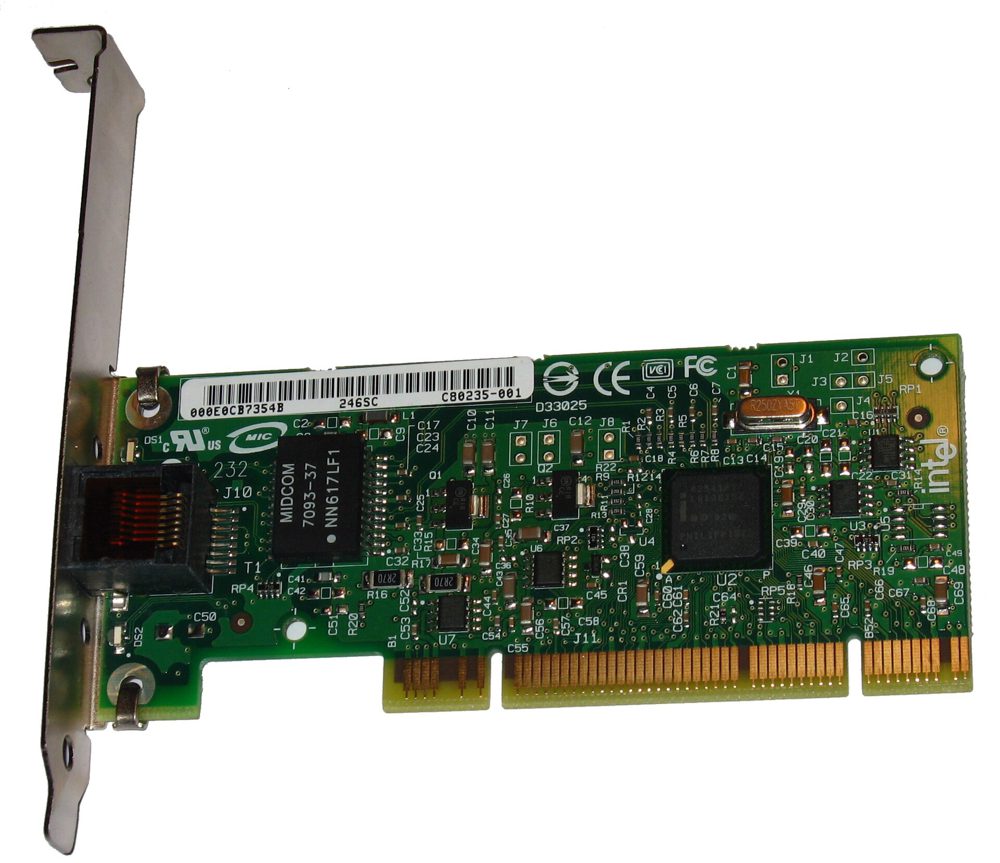
For devices to communicate with each other, we need a way for devices to identify each other.A network interface card (NIC) on a computer contains a unique hardware address, or physical address, called the MAC address. MAC stands for media access control.
Every device that can make WiFi, ethernet or bluetooth connections has a MAC address: laptops, phones, bluetooth speakers, a smart fridge, tablets, and so on.
A MAC address is 6 bytes or 48 bits in length. It is displayed in 12 hexadecimal digits.
What a MAC address does not tell you
The MAC address provides the physical address for the NIC, but it provides no information as to its network location. It does not say which LAN the device is on, or which building, city or country the network is in.The Internet Protocol (IP) address provides worldwide addressing that identifies the computer's local network.
An IP address is a network address, or logical address, of a computer. It can be IPv4 or IPv6. Both IPv4 and IPv6 are in use today.
This is like a street address for your home or school. A street address tells you where to go, which is exactly what a MAC address refuses to tell you.
Switch versus Router
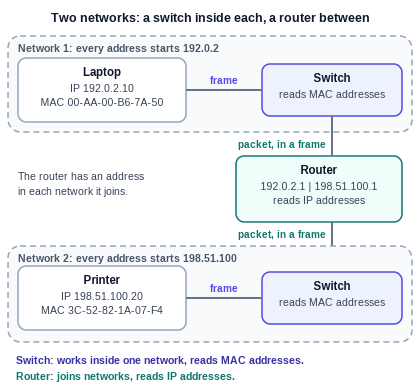
A switch is a networking device that facilitates communication within a local area network using source and destination MAC addresses. A switch is responsible for hop-to-hop delivery, which means getting the data across one link to the next device along. A data unit sent by a switch is a frame.A router is a networking device that facilitates communication between networks using source and destination IP addresses. Routers are responsible for end-to-end delivery, which means getting the data the whole way from the original sender to the final receiver. No single router does that alone. Each one passes the packet on toward the destination network, and the routers along the way complete the trip between them. A data unit sent by a router is a packet.
| Switch | Router | |
|---|---|---|
| Where it works | Within one local area network | Between networks |
| Which addresses it reads | Source and destination MAC addresses | Source and destination IP addresses |
| What it is responsible for | Hop-to-hop delivery | End-to-end delivery, shared with the other routers on the way |
| What its data unit is called | A frame | A packet |
The figure puts both devices in one picture. Inside each network, a switch delivers frames using MAC addresses. The router sits where the two networks meet and forwards packets using IP addresses. It has an IP address in each network it joins.