Web Applications, Databases, and Files
A school's club site, clubs.example.org, has a page for every club. Each page looks hand-made, but nobody wrote 40 pages. The site has one program that builds any club's page the moment someone asks for it, from information kept in a database.
A request with input
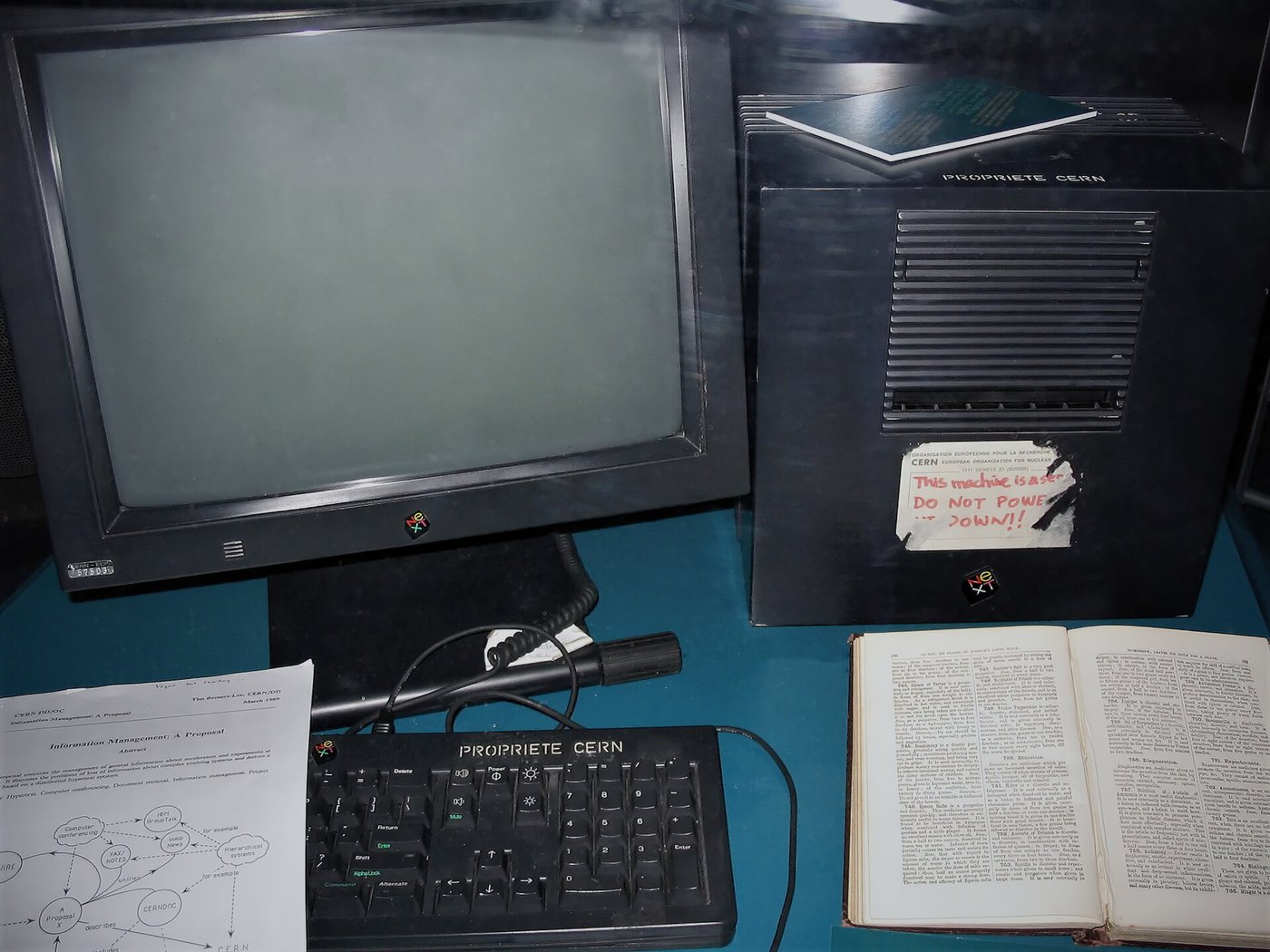
To show one club's page, the browser asks for an address such as clubs.example.org/club?id=12. Everything after the question mark is input: information the visitor sends along with the request, here which club to show. A search box sends input the same way. A sign-up form usually sends it inside the request instead, out of sight of the address bar. The web server software, the program on the server computer that answers requests, passes the request to the club site's program, and that program decides what to do with the input. A server computer can be a desk computer like any other. By the end of 1990 the first web server software was running at CERN, on the NeXT computer Tim Berners-Lee used there. A label on it, in red ink, told others not to switch it off.
The database
The club information sits in a database, organized as tables. The clubs table has one row per club and one column for each kind of fact: an id number, a name, and when and where it meets. Other tables hold the members and the sign-ups. The program gets what it needs by sending the database a query, a request written in a language called SQL. The one in the figure says: give me the name and meeting time from the clubs table, for the row whose id is 12.
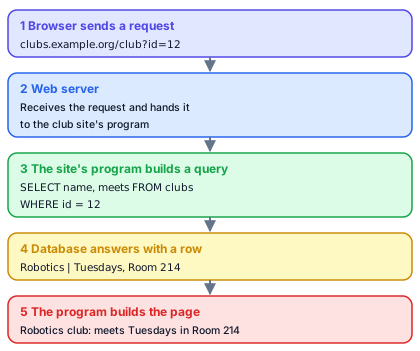
Notice where the 12 in the query came from: the visitor typed it, or a link supplied it, and the program copied it into its query. The page for a different club is the same request with a different number. What a program does with input it didn't write itself matters a great deal for security.
Files and memory
Not everything is in the database. The site's program, its pictures, and its settings are files on the server, kept in folders, and each has a path, the folders that lead to it followed by its own name, such as /var/www/clubs/images/robotics.jpg. The server hands out some of those files to visitors and must keep the rest, like the file that holds the database password, away from them.
While it runs, the program also holds data in memory: the request it is working on, the row the database sent back, the page it is building. It sets aside room for a piece of data like that, called a buffer, and well-written programs check that the input fits before they copy it in.
Copies of the data
A database that matters shouldn't be kept in one place. Many sites keep a second database server that copies every change from the first within seconds, called a replica, so that it can take over if the first one fails. They also make backups, separate copies saved at intervals, often to another location. Decide whether the replica or a backup would save the club site if someone deleted the clubs table by mistake.
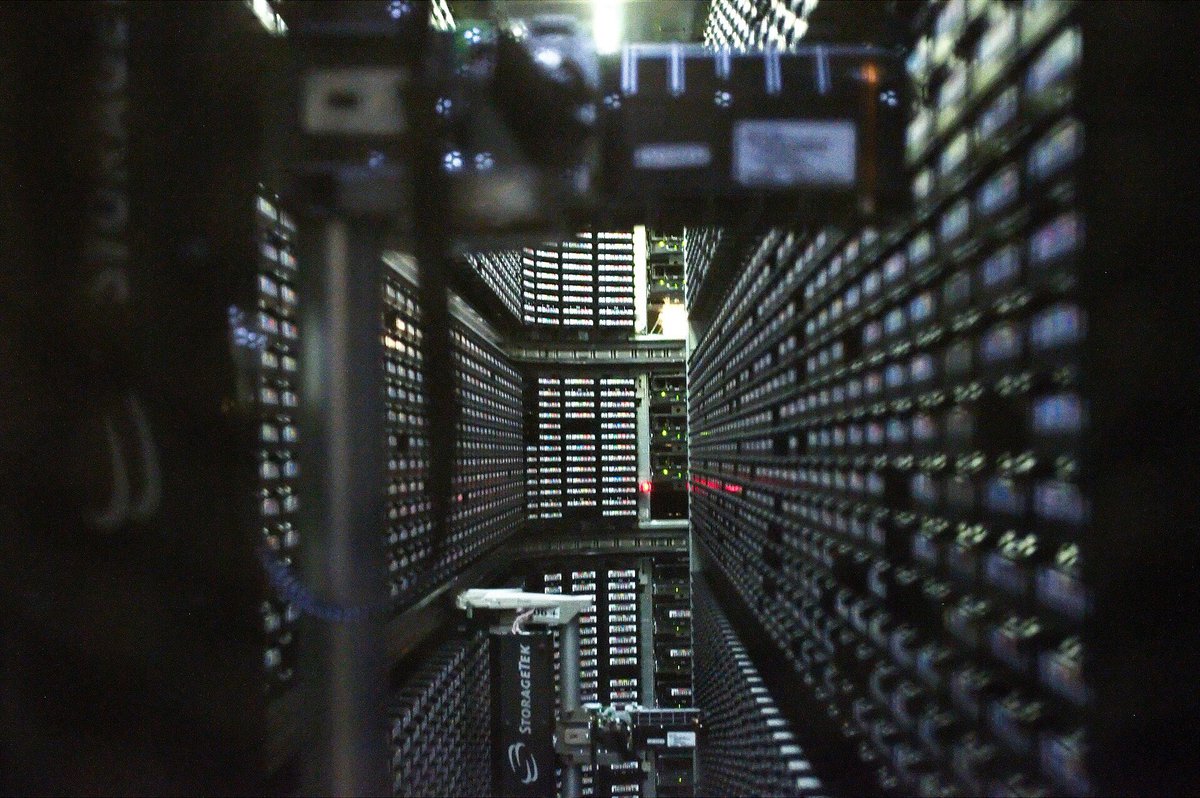
A backup would protect it, and a replica would not. A replica copies every change, including the deletion, a moment after it happens. A backup made before the mistake still holds the table as it was. Many large organizations write their backups to magnetic tape, kept in a tape library where a robot loads each cartridge into a drive when it's needed. A cartridge taken out of the library and stored offline can't be erased by anything running on the network.
The GitLab database deletion
GitLab.com hosts code for millions of programmers. On the night of January 31, 2017, its replica had fallen so far behind under a heavy load, much of it suspected spam, that copying stopped, and an engineer working late to rebuild the replica ran a command to wipe its data folder. The command ran on the main database server instead. The engineer stopped it a second or two after noticing the mistake, but by then about 300 gigabytes of data were gone.
The replica had already been wiped for rebuilding, so it couldn't help. The daily backups turned out to have been failing with no alarm reaching anyone, because the backup program was an older version than the database, and the emails warning of the failures had been rejected by the receiving mail server. Another kind of backup had never been turned on for the database servers. What saved most of the data was a copy an engineer had made by hand about six hours earlier, for testing. GitLab restored from it, which took more than 18 hours, and lost everything created in between: at least 5,000 projects, about 5,000 comments, and about 700 new user accounts. The code itself, stored separately, wasn't lost. GitLab streamed the recovery live on YouTube and published a full account afterward.
Sources: GitLab, "Postmortem of database outage of January 31" (February 10, 2017).