Network Attacks
The attacks in this lesson are ways of getting into that position, or of listening, or of drowning a network in traffic. Two of them work because of how a local network delivers data, so that comes first.
Switches, MAC addresses, and ARP
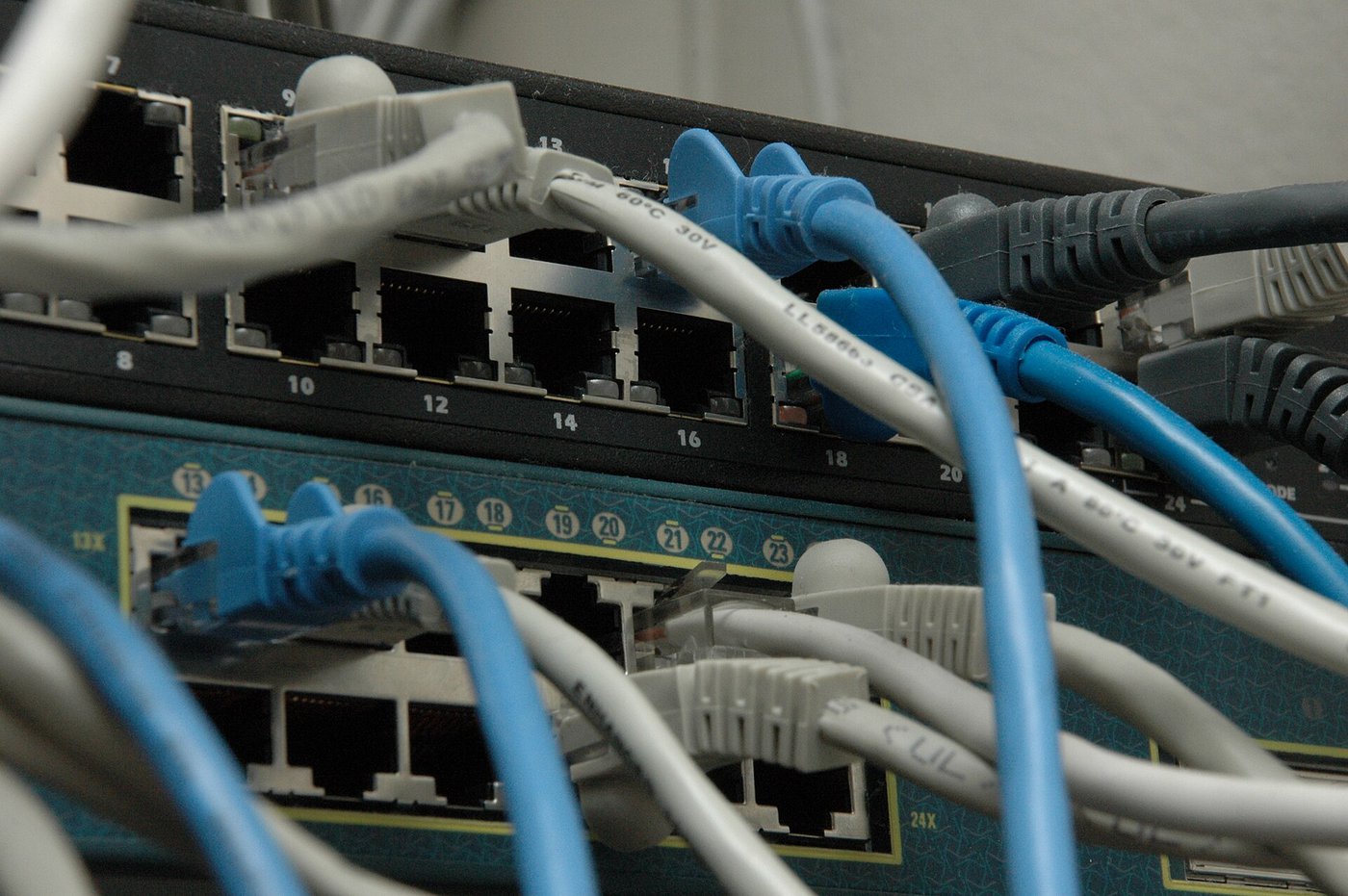
In a high school, the desktops in each lab and the computers in the main office plug into switches, boxes that connect the wired devices in one area. The switches sit in racks in a wiring closet, and most of their ports connect, through cables run inside the walls, to jacks in classrooms and offices. Every network card has a MAC address, a hardware address set at the factory, and data on a local network travels in frames addressed by MAC address. A switch keeps a table of which MAC address sits on which of its ports, so it sends each frame only out the port where its addressee is plugged in.
Traffic leaving the building goes through the default gateway, the router where the school's network meets the internet. The gateway knows devices by IP address, but to deliver a frame inside the building it needs the MAC address too. It keeps a second table matching each one to the other, and it fills that table using ARP, the address resolution protocol: in effect it asks the network who has a given IP address, and believes whoever answers.
ARP poisoning
That belief is the weakness. Suppose a laptop in the school library, on the same local network as the main office, sends the gateway ARP replies that nobody asked for, each one pairing the attendance computer's IP address in the main office with the laptop's own hardware address. The gateway updates its table. Work out what the laptop now receives, and what the attendance computer notices.
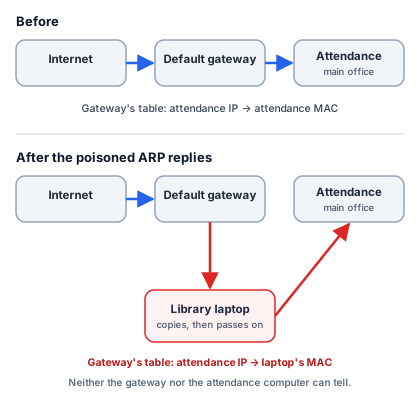
The laptop receives everything the gateway meant for the attendance computer. If it forwards each frame on, as attack tools do, the attendance computer notices nothing: its traffic still arrives, a fraction of a second later. That is half the conversation. Attack tools usually also tell the attendance computer that the gateway's IP address belongs to the laptop, so its outgoing traffic passes through the laptop as well. Then the laptop is on the path both ways, and it can read or change whatever isn't encrypted. Sending frames under another machine's hardware address, as the laptop could do to pass as the attendance computer, is a separate trick.
MAC flooding
A switch has a second weakness: its table has room for only so many addresses. An adversary who plugs a small computer into an unused jack in the chemistry lab can send the switch frames with a different invented MAC address on every one. Each new address takes a row, and once the table is full, the switch has nowhere to record where devices are. Many switches then send any frame whose addressee they can no longer look up out every port, and as the real entries age out of the table, that becomes nearly all of the traffic. The small computer, which was receiving only its own traffic, now receives copies of frames crossing that switch, including the ones between the teacher's desktop and the gradebook server. It doesn't have to change anything to do harm; recording is enough.
DNS poisoning
Some on-path attacks never touch the building. A browser finds a website's IP address by asking a DNS server, and that server gets its answer from the website's authoritative name server, the one that holds the official record. An adversary who can pose as the authoritative server can plant a false answer, and every browser that asks is sent to an address the adversary chose.
That happened on the morning of April 24, 2018, to MyEtherWallet, a website people used to reach their wallets of the cryptocurrency ether. Its official records were kept on Amazon's DNS service. For about two hours, an internet provider in Ohio announced routes to Amazon's DNS servers that it had no right to announce. These were announcements in BGP, the routing system whose withdrawn routes took Facebook offline in 2021. Some DNS servers, including Google's, sent their questions down those routes to servers the attackers controlled, and those servers answered that myetherwallet.com was at an address in Russia. There a copy of the site waited for people to enter their private keys.
The copy had a weakness: it couldn't show a valid security certificate for myetherwallet.com, so browsers warned that the connection wasn't private. Predict what the people who lost money had done.
They had clicked past the warning. Those who did and then entered their keys handed them over, and the attackers emptied their wallets. Estimates of the loss ran to about 150,000 dollars in ether.

Denial of service
The last group of attacks doesn't try to read anything. It tries to make a service unusable. ICMP, the Internet Control Message Protocol, carries the simple requests behind ping: a device sends an echo request, and the device it reached sends a reply. Every network also has a broadcast address, and a message sent to it goes to every device on that network.
A smurf attack combines the two. The adversary sends echo requests to a network's broadcast address, with the source address forged to be the victim's. If the network passes such requests along, every device on it answers, and every answer goes to the victim. Suppose the school's network allowed it and had 900 devices awake: a single forged request would send the victim 900 replies. A few hundred forged requests a second would become hundreds of thousands of replies a second, aimed at one machine. Most networks today refuse to pass pings to the broadcast address, which is why smurf attacks are rare now, but the idea behind them is not.
On February 28, 2018, GitHub, the site where millions of programmers keep their code, was hit by the same idea on an internet scale. Attackers sent short requests to tens of thousands of servers running a program called memcached, with GitHub's address forged as the source. Each server's reply could be thousands of times larger than the request, and all of them went to GitHub. The traffic peaked at about 1.35 terabits per second, then a record. GitHub was unreachable for about five minutes and unsteady for a few more, until a company that absorbs floods for its customers took over its traffic and filtered the replies out.
Local and remote attacks
For the school, the four attacks split in two. ARP poisoning and MAC flooding work only from a device on the school's own local network: a laptop in the library, a small computer in a lab jack. DNS poisoning and the floods can be run from anywhere on the internet, by someone who has never set foot in the school.
Sources: Cloudflare, "BGP leaks and cryptocurrencies" (April 24, 2018); The Verge, "Hackers emptied Ethereum wallets by breaking the basic infrastructure of the internet" (April 24, 2018); GitHub Engineering, "February 28th DDoS Incident Report" (March 1, 2018); Akamai blog post on memcached reflection attacks (March 2018).